Log #1: Setting up Vaultwarden
The next addition to my homelab is Vaultwarden[0]
The setup is simple enough. I just took the docker compose from the github readme. Then, I created a host in nginx so that I can also access this via tailscale.
I could have left it here, but there was a problem. Since all my docker
containers are running in the same docker network[1],
all other containers can access Vaultwarden. I want to isolate the Vaultwarden
container from all other services except nginx.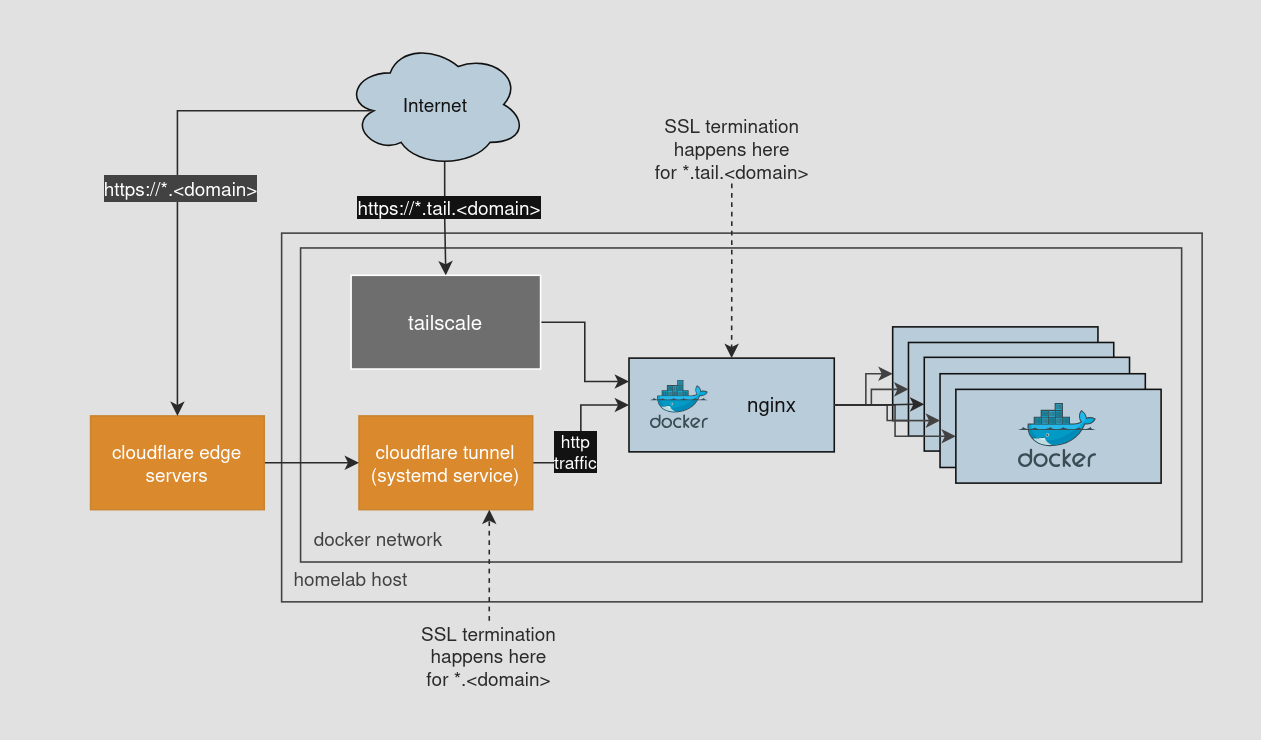
A little docker networking does the trick
I didn’t know this until today, but you can attach a docker container to multiple networks. In a docker-compose.yml it looks like this:
services:
  service-0:
    ...
    networks:
      - network-1
      - network-2

  service-1:
    ...
    networks:
      - network-1

  service-2:
    ...
    networks:
      - network-2

networks:
  network-1:
  network-2:
service-0 can talk to both service-1 and service-2, but they are both isolated from each other since they are on different networks.
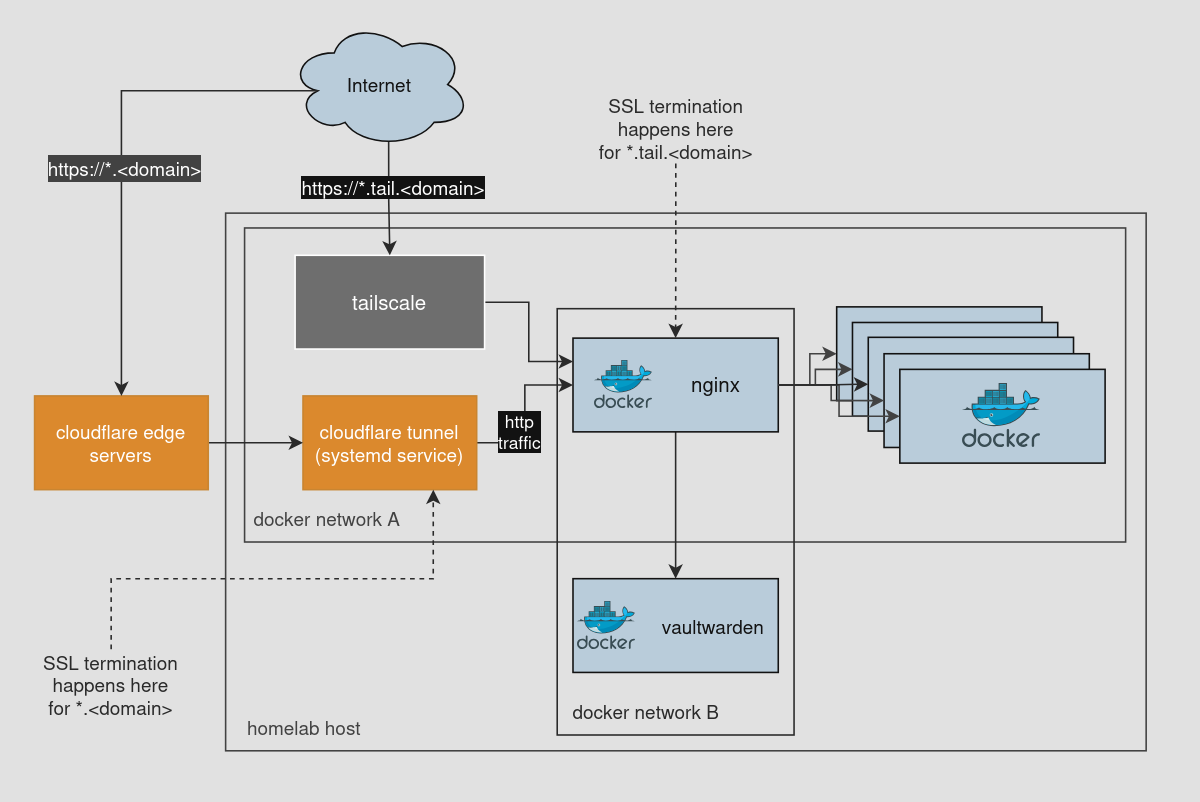
So, I created a new network and attached the nginx and Vaultwarden containers to it. This way Vaultwarden is isolated from other containers.
This is what the network diagram looks like now:
Learnings
- Docker containers can be attached to multiple networks.
What’s next?
I think I’ll create more docker networks primarily for some semantic isolation of different service stacks that I have running. Nothing too fancy.