..
For a while now, I've wanted to set up Tailscale[0] so that all my traffic is not routed through Cloudflare servers. The only thing that was stopping me was that I have a few friends use services that I host. If I put my services behind tailscale, then they will also need to run tailscale on their machines — which is okay, but tailscale free tier allows only 3 users in a _tailnet_. Unfortunately, I have more than 3 friends.
Log #0: Setting up Tailscale
This is not meant to be a tutorial. I’m just logging my homelabbing adventures.
My homelab’s current architecture looks something like this (courtesy of no
static IPv4 address):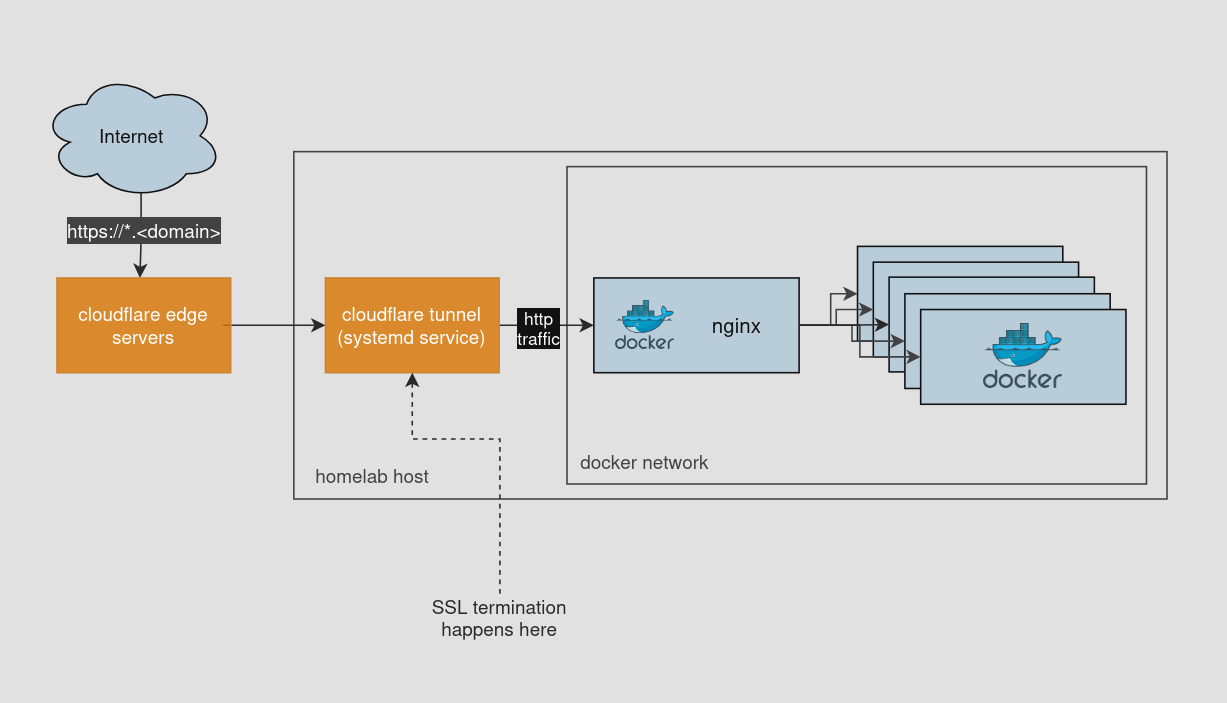
For a while now, I've wanted to set up Tailscale[0] so that all my traffic is not routed through Cloudflare servers. The only thing that was stopping me was that I have a few friends use services that I host. If I put my services behind tailscale, then they will also need to run tailscale on their machines — which is okay, but tailscale free tier allows only 3 users in a _tailnet_. Unfortunately, I have more than 3 friends.
I am a hobbyist homelabber. I don’t want to spend $$$ on this(especially with Rupee tumbling against Dollar). So, in the end I set up tailscale for personal use(access private services, etc) alongside cloudflare tunnel for friends.
Setting up Tailscale was quite easy:
- Run tailscale in same docker network. This creates a node in my tailnet.
- Create a DNS entry for *.tail.<domain> that points to the tailnet node’s IP.
- Create an HTTPS cert for *.tail.<domain> and configure hosts in Nginx.
Now, the architecture looks like this (I also
moved cloudflare tunnel from a systemd service to a docker container):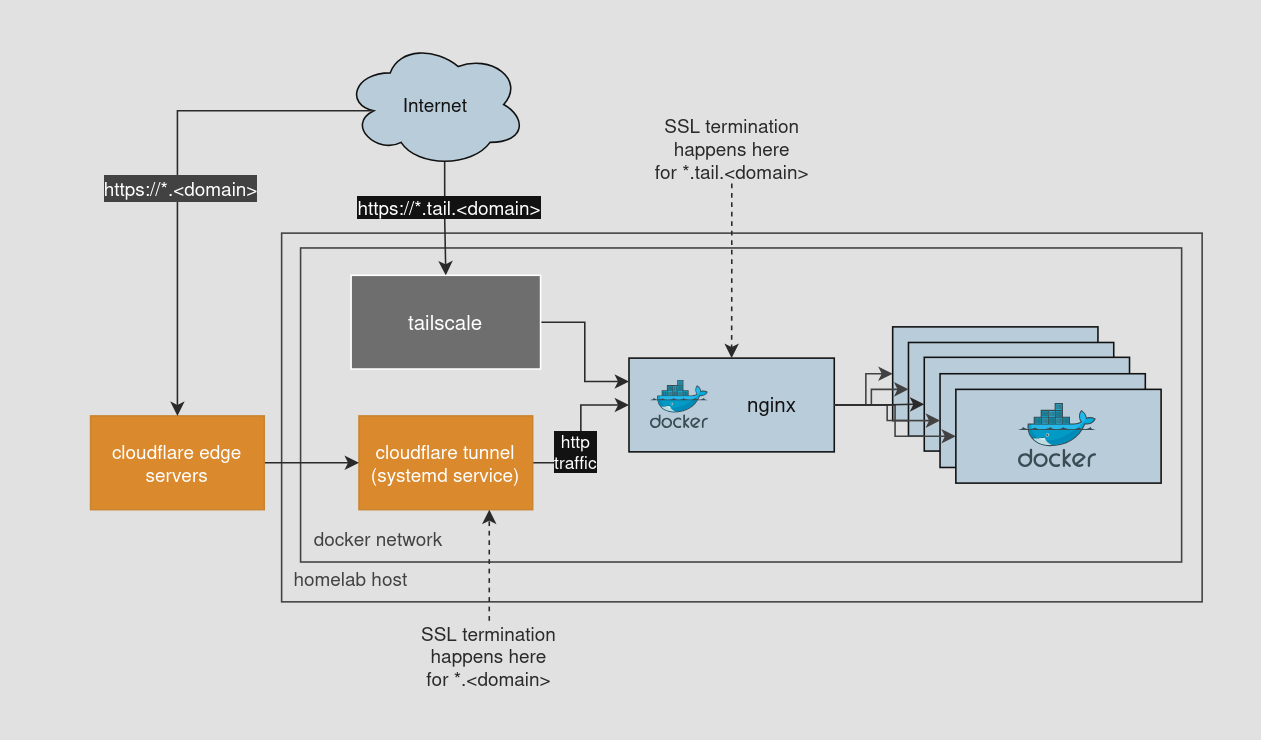
What’s next?
I’ve also thought about setting up WireGuard instead of Tailscale, but that’s a more involved process and saved for future me.